Quick start
This walks through one session: a static and two walking trials, from unlabeled trajectories to labeled files with gaps filled and gait events. It uses the example session that OpenMotionLabel makes for you. The subject is synthetic, so you can follow along anywhere.
1. Make the example session
oml example ~/oml-example
This writes ~/oml-example/S01/M0/ with S01 Cal 01.c3d (the static) and walk01.c3d and
walk02.c3d. The files look like what an optical system delivers before labeling: trajectories
named *0, *1, … with gaps, pieces of two markers joined into one trajectory, and a few ghost
markers.
2. Start OpenMotionLabel
oml serve --root ~/oml-example
Your browser opens on the interface. The server only answers on this computer, with the access link it opened (see Privacy and security). Stop it with Ctrl+C in the terminal.
Open S01, then M0, in the file list on the left. Each file shows its status: unlabeled, partly labeled or labeled.
3. Label the static
Open S01 Cal 01.c3d and press Auto-label in the toolbar. It takes a fraction of a second.
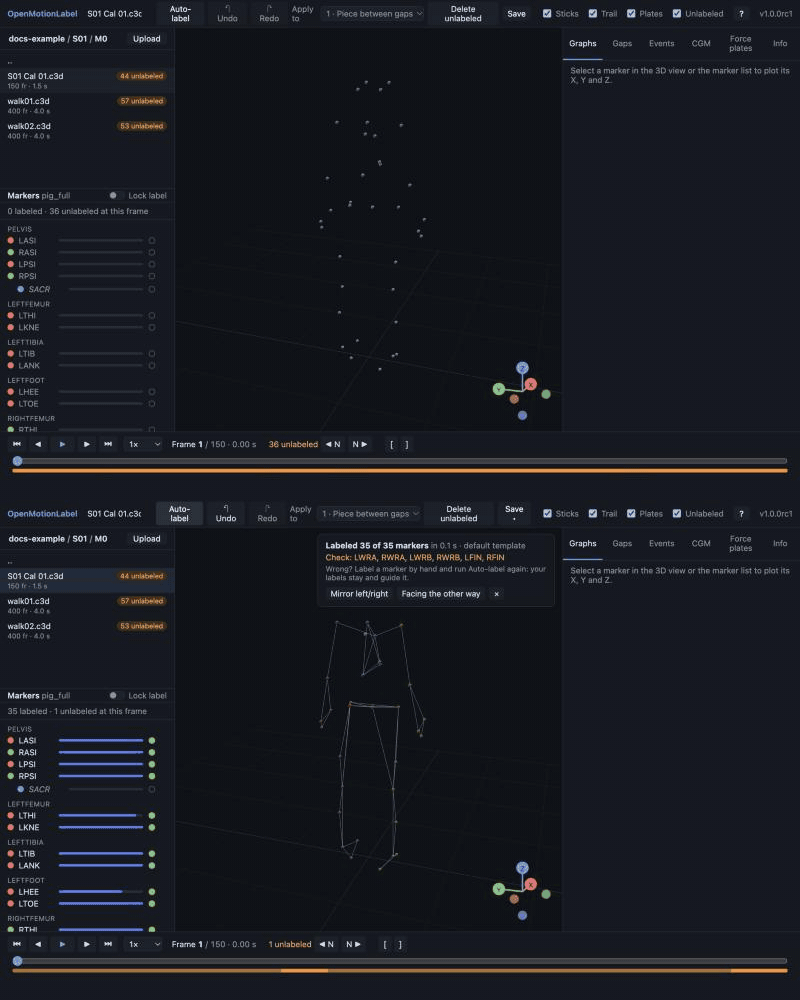
Check the result: the marker list on the left shows each label, and a "?" marks the ones it is unsure of; the panel lists them too. Labels that are wrong can be fixed by hand (click the label, then the marker; see Labeling by hand) before pressing Auto-label again: your own labels stay and guide the rest.
Press Save (Ctrl/⌘ S) and save over the trial. The first save keeps the original as
S01 Cal 01.c3d.orig.
4. Label the walking trials
Open walk01.c3d and press Auto-label. The labels follow the static you just saved: the
panel names the static it used.
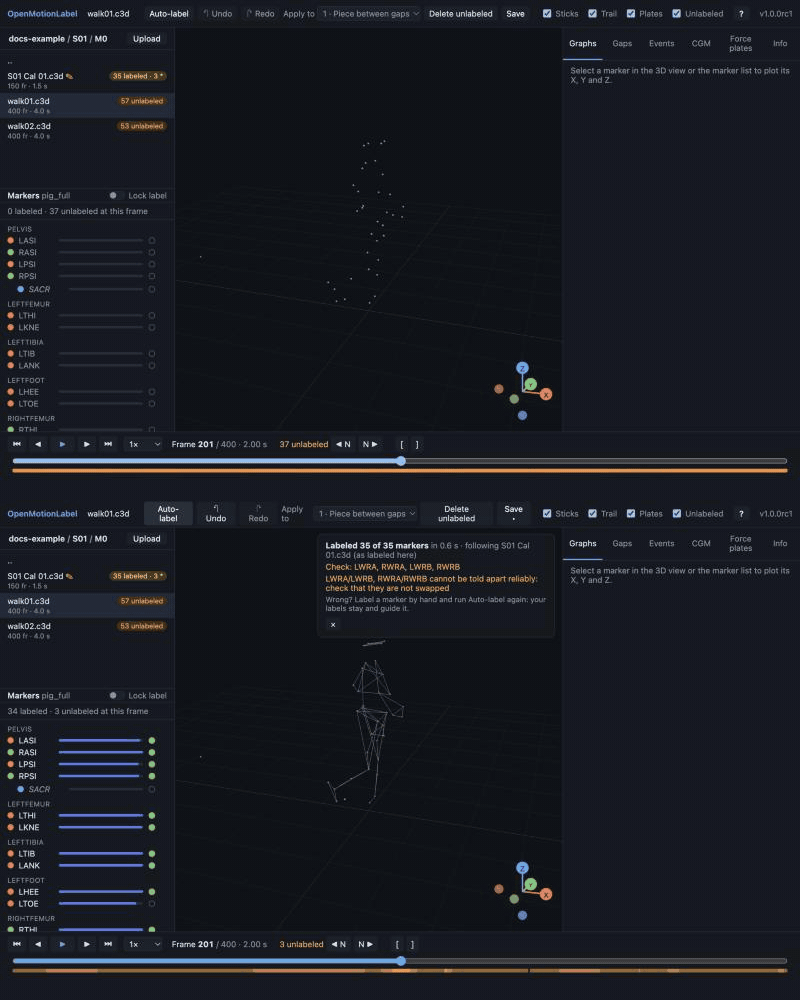
Samples that no label fits for sure stay unlabeled; N jumps to the next unlabeled piece. Delete unlabeled removes the ghosts that are left.
5. Fill the gaps
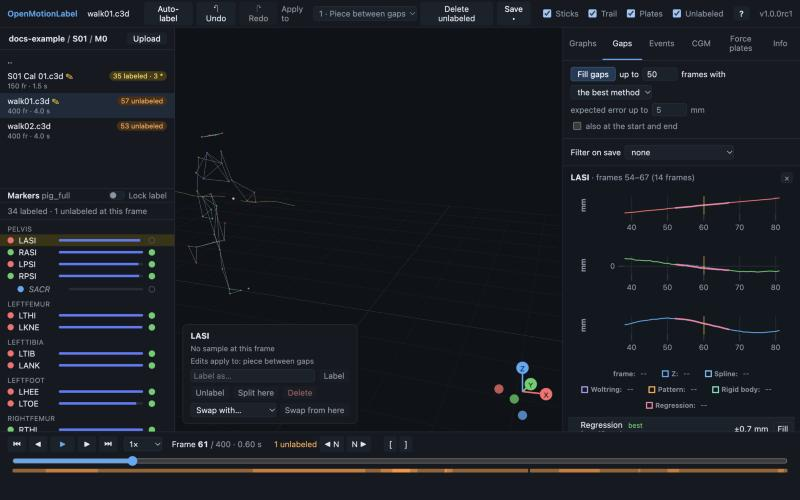
Open the Gaps tab on the right. It lists the gaps of every labeled marker. Click one to see every way of filling it, with the error each is expected to have, or press Fill gaps to fill every gap the best way at once.
6. Detect the events
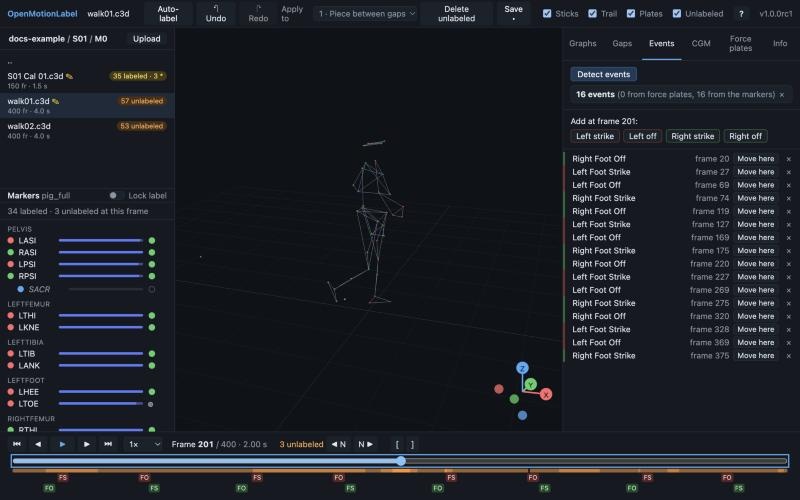
Open the Events tab and press Detect events. Foot strikes (FS) and foot offs (FO) appear on the timeline, left above right. Drag one to move it.
7. Save
Press Save. The labeled trial, its fills and its events are written into the C3D file.
Repeat steps 4 to 7 for walk02.c3d.
The same session from the command line:
cd ~/oml-example/S01/M0
oml label "S01 Cal 01.c3d" --out "S01 Cal 01.c3d"
oml label walk01.c3d --out walk01-labeled.c3d
oml fill walk01-labeled.c3d --out walk01-filled.c3d
oml events walk01-filled.c3d --out walk01-final.c3d
Your own data
Point oml serve --root at a folder of C3D files. Keep each session's static and walking trials
together: in one folder, or in Nexus's Calibration and gait folders. Auto-labeling finds the
static by its name (S01 Cal 01.c3d, static.c3d).